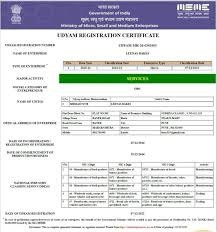
MSME CERTIFICATE DOWNLOAD
MSME Certificate is an official document issued after successful MSME (Udyam) registration. It acts as proof that your business is registered under the Ministry of Micro, Small and Medium Enterprises and eligible for government benefits.
APPLY TO PRINT MSME CERTIFICATE
DIRECTION TO FILL PRINT UDYAM CERTIFICATE APPLICATION FORM
1.Udyam Registration Number: Fill up the 12 digit Udyam Registration Number Given by Government.”सरकार द्वारा उत्पन्न अपना उद्यम पंजीकरण नंबर भरें।
2. Applicant Name: Applicant are required to enter his / her name as mentioned on Pan card
3.Mobile No : Fill the correct Mobile Number of Applicant.”आवेदक का सही मोबाइल नंबर यहां लिखें।
4.Mail ID : Fill the correct Mail ID of Applicant. “यहां अपनी सही ईमेल आईडी का उल्लेख करें।
5. State Name / राज्य का नाम
6. District Name / जिले का नाम
Must Now
What is MSME Certificate?
MSME Registration Certificate (also called Udyam Certificate) is a digital certificate issued by the Government of India that confirms MSME registration. The certificate contains the Udyam Registration Number, business details and MSME classification.
Businesses may need to download the MSME certificate for bank loans, government tenders, subsidies and compliance purposes. After application completed you will receive MSME Certificate Download Pdf in your registered email Id.
Why Download MSME Certificate?
MSME Certificate is require for various purposes, such as:
• Bank loan application
• Government schemes
• Tender participation
• GST registration support
• Business documentation
• Subsidy applications
Common Problems to Avoid while MSME Certificate Download
Before starting MSME Registration Download Process make sure to check for common issues:
- Wrong mobile number
- Incorrect URN
- Mobile Network
Documents Required for MSME Registration Certificate Download
MSME Certificate Download is a paperless process and does not require uploading of documents. However, the following key details and credentials must be provided:
• Udyam Registration Number (URN)
• Registered Mobile Number (for OTP verification)
How to Download MSME Registration Certificate Online?
Complete the MSME Registration Downloading process in simple steps:
Step 1 – Fill Above Given MSME Certificate Download Form.
Step 2 – Complete the Payment through our Secure Payment Gateway
Step 3 – Our team contact you and process your application.
Step 4 – Get MSME Registration Certificate in Mail
Note: Above process is given for Our Website. Msme download process can also be done on the Official MSME Registration Portal.
What should I do if I forget my Udyam Registration Number?
If you have forgotten your Udyam Registration Number (URN), you can still download your certificate by using your registered mobile number or email ID used during registration. With basic business details and verification, your registration number can be traced and your MSME certificate can be re-downloaded without difficulty. For faster recovery, you can go to our forgot URN page.
FAQs on MSME Certificate Download
You can download through official Udyam Portal or through Private Consultancy lik Us.
Yes, downloading MSME Certificate is completely free, but if you apply through our website then we charge a consultancy fee for registration support.
MSME Registration has lifetime validity means no need of renewal.
It usually takes only a few minutes to download certificate.
Yes, you could easily update MSME Registration Certificate details online anytime.
Yes, you can download your MSME certificate any number of times, whenever required.