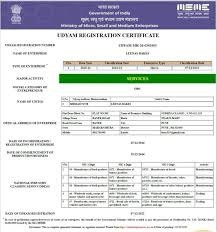
UPDATE UDYAM REGISTRATION CERTIFICATE
Updating your Udyam Registration Certificate is important to keep your business details accurate and up to date. Any changes in business information such as address, contact details or activity should be updated to avoid issues in verification, loans and government benefits.
ONLINE FORM FOR UDYAM REGISTRATION CERTIFICATE UPDATE
READ THE INSTRUCTION TO FILL UDYOG AADHAR REGISTRATION FORM
1.Udyam Registration Number: Fill up the 12 digit Udyam Registration Number Given by Government.”सरकार द्वारा उत्पन्न अपना उद्यम पंजीकरण नंबर भरें।”
2.Name of Applicant: Fill name of Applicant as mentioned on the Aadhaar Card.”आधार कार्ड में उल्लिखित आवेदक का नाम भरें।”
3.Type of Organization: Select the type of organization from the given options which will get printed on MSME Certificate.
“दिए गए विकल्पों में से संगठन के प्रकार का चयन करें।”
4.PAN: Fill 10 Digit PAN Number in case of Limited Liability Partnership / Co-operative / Private Limited / Public Limited. PAN Number is optional in case of Proprietorship Firm / Hindu Undivided Family / Partnership Firm / Self Help Group “यहां बिजनेस पैन का उल्लेख करें। प्रोप्राइटरशिप के मामले में प्रोप्राइटर का पैन उल्लेख करें।”
5.Mobile No : Fill the correct Mobile Number of Applicant.”आवेदक का सही मोबाइल नंबर यहां लिखें।
6.Mail ID : Fill the correct Mail ID of Applicant. “यहां अपनी सही ईमेल आईडी का उल्लेख करें।”
7.Social Category: Select the Social Category of applicant from the given options.”आवेदक की सामाजिक श्रेणी का चयन करें।”
8.Gender: Select the gender from provided option”आवेदक का लिंग चुनें।”
9.Physically Handicapped: Select the status from provided options
“चयन करें कि आवेदक शारीरिक रूप से विकलांग है या नहीं।”
10.Name of Enterprise / Business: Fill the name of Business / Enterprise which will get printed on MSME Certificate.”यहां अपने व्यवसाय के नाम का उल्लेख करें। यह नाम MSME प्रमाणपत्र पर मुद्रित किया जाएगा।”
11.Location of Plant : Please fill the location address properly
“दिए गए क्षेत्रों में ठीक से विनिर्माण सुविधा का पता लिखे |
(i) State Name / राज्य का नाम
(ii) District Name / जिले का नाम
(iii) Pin Code / पिन कोड
12.Office Address : Please provide office address, if address other than plant location.”दिए गए क्षेत्रों में ठीक से आधिकारिक पता लिखे |”
13.Date of Commencement of Business : Fill the date of Commencement of Business which will get printed on MSME Certificate. “व्यवसाय शुरू करने की तारीख का उल्लेख यहां करें।”
14.Major Activity of unit : Select the Major Business activity from the given options.”अपनी मुख्य व्यावसायिक गतिविधि चुनें।”
15.Additional details about Business : Fill Additional details about business. (For example manufacturing of Food Products, Computer programing, Software development)”व्यवसाय के बारे में अतिरिक्त जानकारी भरें।”
16.Number of employees : Fill total number of people been employed.”आपके संगठन में कार्यरत कर्मचारियों की संख्या का उल्लेख करें।”
17.Investment in Plant & Machinery / Equipment : Fill the total investment made in Plant, Machinery, and Equipment etc. to start your business.”अपने व्यवसाय में किए गए निवेश की कुल राशि भरें।”
18.Total Turnover : Fill the total turnover of the financial year. “वित्तीय वर्ष का कुल कारोबार भरें|”
Must Now
What is Udyam Certificate Update?
Udyam Certificate Update is the process of modifying or correcting details in your Udyam Registration. It allows businesses to maintain accurate records and continue receiving government benefits without interruption. Keeping your Udyam registration updated ensures smooth access to MSME schemes and financial support.
Why Update Udyam Registration Certificate?
Updating your Udyam certificate is require for various purposes, such as:
- Correcting wrong business details
- Updating address or contact information
- Maintaining eligibility for schemes
- Avoiding rejection in loan applications
- Ensuring smooth verification process
- Keeping business records accurate
Details You Can Update in Udyam Registration Certificate
Here are following details which you can update in Udyam Certificate:
- Business Name
- Address
- Mobile Number
- Email Id
- Bank Details
- Business Activity
- Additional Business Information
Note: Aadhar & PAN cannot be Updated
Documents Requirements for Udyam Registration Certificate Update
To access and Update Udyam Certificate, certain essential details are needed to verify your identity and fetch your registration information from the government’s database. The key documents required are:
- Udyam Registration Number
- Registered Mobile Number & Email Id
- Basic Business Detail to Update
How to Update Udyam Registration Certificate Online?
The update process is simple and requires minimal information. Just follow the process
Step 1 – Fill Above Given Update Application Form.
Step 2 – Complete the Payment through our Secure Payment Gateway
Step 3 – Our team contact you and process your application.
Step 4 – Get Updated MSME Registration Certificate in Mail
Note: Above process is given for Our Website. Udyog Aadhar Registration can also be done on the Official MSME Registration Portal.
How often should an enterprise Update Udyam Certificate?
An enterprise is expected to update its Udyam Registration details at least once a year, especially after the end of each financial year. This is because the classification of MSMEs under Udyam is now based on:
- Annual turnover
- Investment in plant and machinery or equipment
Both of these metrics may change over time, especially as a business grows. Hence, updating these figures regularly ensures:
- Accurate classification under Micro, Small, or Medium enterprise category
- Continued eligibility for government schemes, subsidies, and benefits
- Compliance with Ministry of MSME guidelines
In addition to the annual financial updates, businesses should immediately update their registration if there are changes to:
- Business address
- Bank account details
- Contact information (email/phone)
- Type of business activity
- Number of employees
Failing to keep the registration current can lead to reclassification or even temporary suspension of benefits, so it’s crucial for enterprises to treat updates as part of their regular compliance routine.
Is PAN or GST verification required when updating Udyam Registration Certificate?
Yes, PAN and GST verification is required when updating MSME details—especially if the changes involve financial or business identity information.
Here’s how the verification works:
- PAN: If your update involves changes related to turnover, investment, or organization type, the system automatically verifies your PAN with the Income Tax database to validate the authenticity of the information. You cannot manually edit PAN once it’s registered, but any financial updates will be cross-verified through it.
- GSTIN: For businesses registered under GST, turnover data is pulled from GST filings. When updates are made related to turnover, GSTIN is used to verify and validate the figures.
The Udyam portal is fully integrated with government databases such as:
- Income Tax Department
- Goods and Services Tax Network (GSTN)
This integration ensures that businesses do not submit conflicting or incorrect data and supports automatic classification of MSMEs based on real-time financial inputs.
So, while you don’t need to manually re-upload PAN or GST documents, the portal will verify the data behind the scenes during the update process.
FAQs on Udyam Certificate Update
Yes, Udyam certificate can be updated online easily.
Yes, Updating Udyam Certificate is completely free, but if you apply through our website then we charge a consultancy fee for registration support.
Yes, Udyam Registration Certificate has lifetime validity means no need of renewal.
It usually completed within 1–2 working days.
Yes, you could easily update Udyam Registration Certificate details online anytime.
Update is not mandatory but required if your business details change.